Telegram Bots and Channels: One Setup, Full Attribution
In Telegram traffic the bot is your attribution bridge. An ad click by itself is just a redirect; once a bot is connected, Leadgram knows exactly which click pressed Start, which subscriber came from which campaign, and can feed those conversions back to Meta or Google so the algorithm buys you more of the users who actually convert. Ten minutes of setup here is what makes every dollar of spend measurable later.
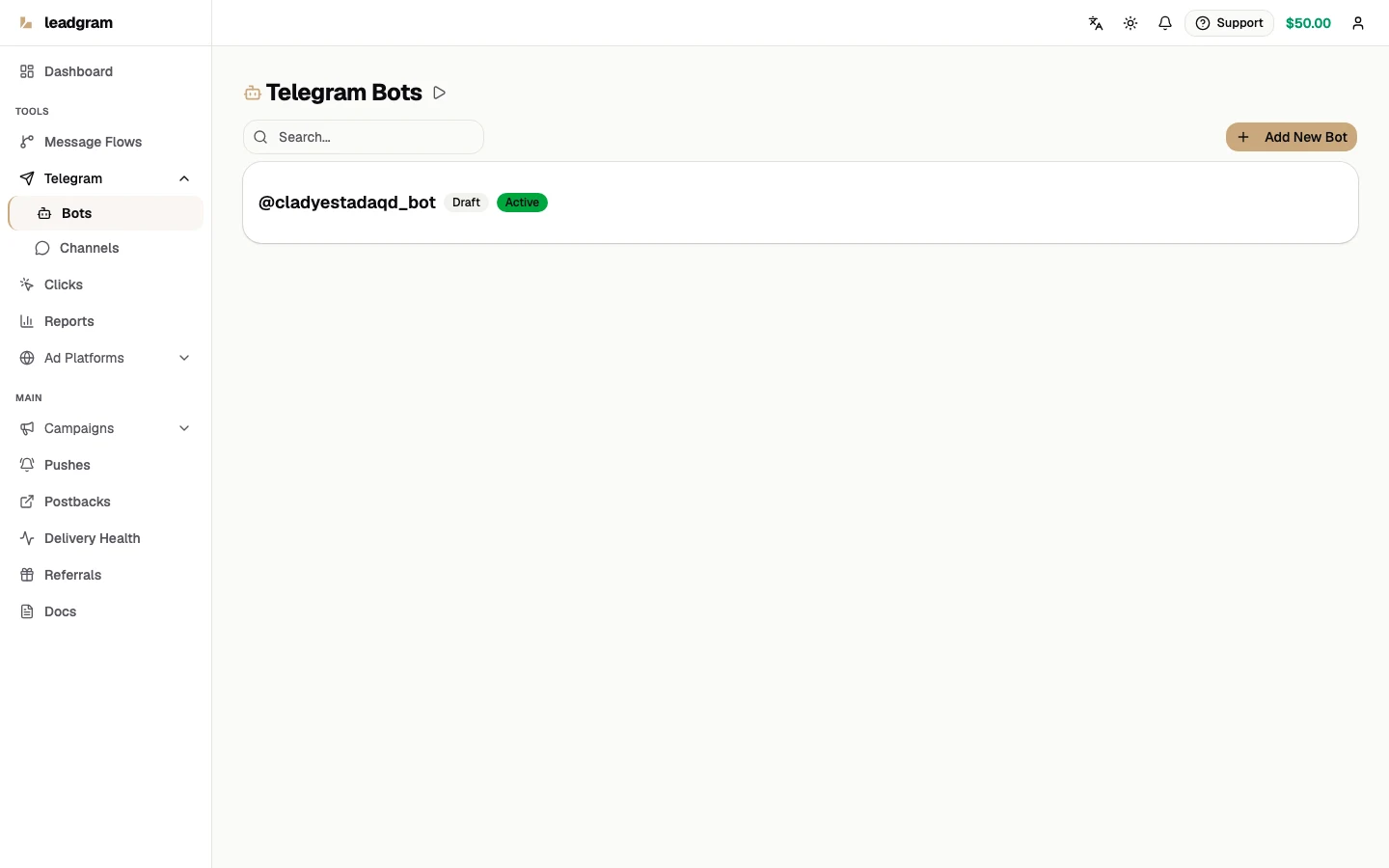
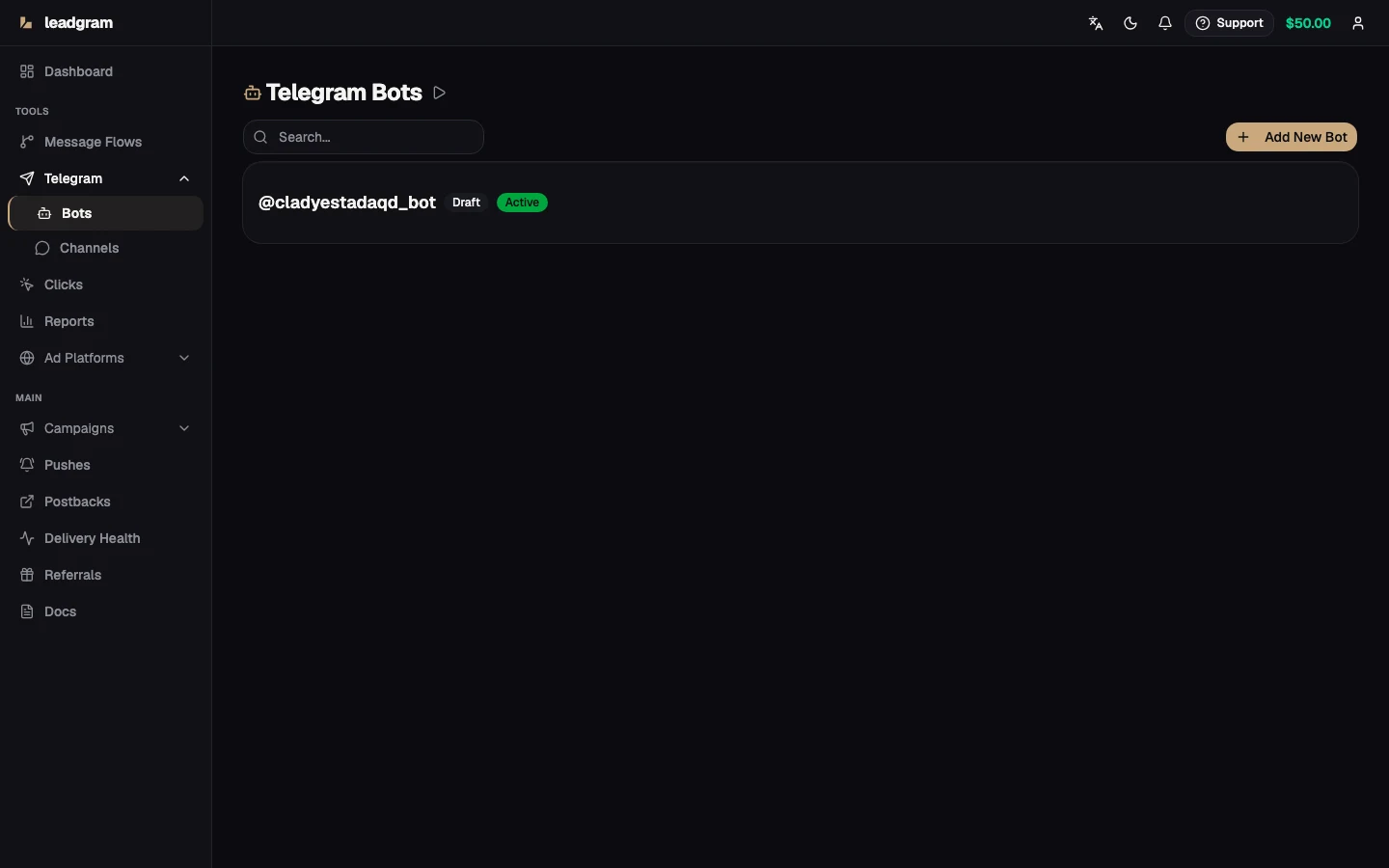
Add a bot
- Open @BotFather in Telegram, send
/newbotand copy the API key it returns (it looks like110201543:AAHdqTcv...). - Go to Bots and click Add New Bot.
- Paste the key into Telegram Bot API Key - the platform validates the token and pulls the bot's
@usernameautomatically. - Click Add Bot.
Saving the bot also registers a Telegram webhook for it, so there's no server to stand up and no URL to paste anywhere. The status badge reports what actually happened to that registration: Active means Telegram accepted it, Pending or Error means it didn't - the bot row saved, but no /start reaches you. A non-active row says so in place and carries a Register webhook button that retries the call, so this is not something to open a support ticket about.
Once the webhook is live, Telegram sends messages and button taps to it, and both get routed into your funnel. Channel membership changes and join requests arrive at the same webhook and become channel_join / join_request events for the channels you track - more on that below.
How the bot attributes clicks
The chain looks like this: campaign tracking link → landing → deep link t.me/your_bot?start=click_id. When a user taps Start, Leadgram matches the payload to the stored click (a ref_id passed by an external tracker works too), launches the active flow bound to this bot from its first node, and records the chat into the bot's subscriber base. Add a Bot Start event node to the flow and the click advances to the Started status and ships as a server-side conversion. Repeating /start always restarts the funnel from the beginning, exactly how Telegram users expect a bot to behave.
Delete a bot
Every row on Bots has a Delete button. The confirmation spells out what the deletion touches and unlocks only after you retype the bot's @username, because four separate things move at once:
- Flows that are Active on this bot drop to Draft and stop running. Bind another bot and set them Active again.
- The bot's subscriber list is deleted with it. Pushes aimed at that audience have nobody left to send to, and a person only returns to a list by pressing Start in another bot.
- Channels this bot activated stop counting joins. They keep their Active badge, so unless you activate them again with another bot the silence is invisible.
- Clicks, campaigns and pushes stay - they only lose the link to this bot, so reports over past periods keep their numbers.
In Telegram the bot itself is untouched: its token still works, so you can connect it here again, or revoke it in @BotFather if you want it gone for good.
Channels and join events
Promote your bot to administrator of a channel and that channel appears on Channels with a Detected badge. A detected row tracks nothing yet, and that gate is deliberate: anyone can add your public bot to their own channel. Press Confirm to start tracking it, or Dismiss to drop it - a dismissed channel never resurfaces on its own, and since it was never tracking anything, nothing is lost.
You can also add a channel before the bot is promoted: Don't see your channel? asks for the Channel Telegram ID (a negative number starting with -100 - find it via @userinfobot or by forwarding any channel post to @JsonDumpBot), a title and the type. That row waits at Pending. Promoting the bot then activates it outright, and the Activate button does the same on demand: it verifies the bot really administers the channel and resolves the canonical chat id that join tracking matches on.
Only an Active channel is tracked, and only through the bot that activated it. A real join then fires a channel_join event, which you can forward through Postbacks and which maps to a Subscribe event when delivered to Meta. On a channel with join approval enabled the request fires join_request first; channel_join follows once the request is approved.
Smart Delay (Settings on an active channel) holds a join back and counts it only if the person is still in the channel when the window closes - the filter for drive-by joiners. One tradeoff to know before setting a long window: the event reaches the ad platform when the window closes, not when the join happened.
Delete a channel
Channel rows carry a Delete button with the same retype-to-confirm gate, this time the channel's Telegram ID. Deleting stops join tracking immediately and erases the record of who already joined. Add the channel back later and a person who joined before can be counted as a fresh conversion and sent to the ad platform a second time (per-user CAPI dedupe, where enabled, suppresses the repeat). Billing remembers subscribers per organization, so the same person is not charged again. Campaigns that pointed at the channel keep working and only lose the link, conversions already recorded stay in reports, and the Smart Delay window is lost with the row. The row doesn't come back on its own either - your bot is already an admin, so Telegram sends no new promotion event.
Buying traffic into a join request
When a private channel admits people by request, the request itself can be the campaign's target action rather than the join: someone asks to join and only lands in the channel later, once that request is approved. Leadgram treats those as two separate events - the request is join_request, the join is channel_join.
Two things have to be in place before a request is recorded at all. First, the channel must be Active: only the bot that activated it counts requests. Second, the person must have passed through your bot from a tracking link. The request carries no click of its own - Telegram sends only the person's account with it - so the click is looked up from their recent trip through the bot: a flow run, or a /start on a bot with no flows, no older than the attribution window (7 days by default). Someone who reached the channel through a plain invite link, bypassing the bot, matches no click at all: no event is written, and the Join request row grows in the Unattributed drops block on Delivery Health.
Per-click invite links (a switch under Settings on an active channel, on by default) close that gap: a click on the tracking link takes the person into the channel through its own single-use invite link whenever one is ready, and the request or the join is then matched to the click exactly, with no attribution window. Links are prepared in advance in a small per-channel pool, so when the pool runs dry during a traffic burst the visitor gets the channel's ordinary link and that join falls back to the attribution window, as before. For any of this the channel needs a public @username: the tracking link leads people into the channel by that name, and the pool of ready links is keyed on it too. A private channel - added by a numeric id of the -100… form, with no username - is not served by per-click invite links: no links are created for it at all, a switch left on does nothing for such a channel, and the channel card says so. The bot needs the same "Add Subscribers" admin right; without it no links are created, a warning appears on the channel card, and traffic goes through the channel's ordinary link as before. If the channel has auto-approve on, the per-click link goes through a request too; otherwise it leads straight into the channel.
Auto-approve join requests
Auto-approve join requests sits under Settings on an active channel, next to Smart Delay, and is off by default. Off means requests stay pending until an admin approves each one by hand in Telegram; until that happens the person has not joined, no channel_join fires, and there is no join conversion at all - not in reports, not in the ad account, not in a postback. That is exactly what a funnel with many requests and almost no joins looks like.
Turned on, it approves for you. Delay, seconds takes a whole number from 0 to 86400 (86400 being 24 hours), where 0 approves instantly and any other value approves that many seconds after the request. Only the channel's activation bot can approve, and it needs the "Add Subscribers" admin right: without it Telegram refuses, the request stays pending, and nothing on screen says so - you have to look in Telegram itself.
Two things are worth knowing up front. The approval is queued before the click lookup runs, so a person whose request matched no click still gets approved. And switching auto-approve off mid-delay cancels whatever has not been approved yet: the channel's setting is re-read before every approval, and "off" wins.
What leaves the platform, and what you pay for
The request and the join are different events with different names and different timestamps, so an approval sends both. In a Postbacks rule the request sits in the trigger list right next to the join, so your own tracker can receive it as its own line instead of waiting for a join that manual approval may never produce. Deduplication does not confuse them: it is off by default both on a postback rule and on a campaign, and the "Once per user" and "Once per user per data source" modes keep the event type as part of the key. Under Any event type — once per user the request does not crowd out the join either, but the reason differs between a rule and a campaign. A postback rule fires on a single event type, so the request and the join always live in different rules and never contend for one key: there the mode works out the same as "Once per user", and a rule can only ever suppress a repeat of its own event. On a campaign the shared key is real - one key per person for the whole campaign, whatever the event - so the request is excluded from it. Otherwise the request would claim the key and suppress the same person's join, and a campaign optimized for joins would start receiving requests instead. The price of that exclusion is deliberate: on a campaign a repeated request from the same person is sent again, because nothing is left to suppress it. How each of the two events looks on the platform side is covered in Meta CAPI and Google Ads CAPI.
The request is free: join_request sits in the same free-type list as a click, a landing view and a subscription cancellation. You pay per person, not per event - one charge per (workspace, person) pair, on that person's first billable event, usually the bot start or the join itself. So the whole request → approval → join chain costs a single charge, and requests nobody approved cost nothing.
And what the request does not do: it does not advance the click's status - neither does the join - so on Clicks the person stays at whatever stage they had reached, while the request itself shows up in that click's event history. Smart Delay does not apply to it either: there is no retention to verify while the person is still outside the channel, so the Smart Delay window covers the join only.
Where bots appear across the product
- Message Flows - a flow can be created without a bot bound to it, but it needs one before you can set it Active. The bot picker in the flow create dialog lists the bots you added here.
- Campaigns - the campaign's bot is stamped onto each click so the
/startmatch works reliably. - Pushes - the send list is the subscribers your bot collected via Start. Any chat Telegram refuses drops out of that list, and there are four such outcomes: the person blocked the bot, the account was deleted, the conversation never happened, and the bot was kicked from a group. Only a fresh
/startfrom that same chat puts a row back, so a deleted account never returns - and neither does a kicked group, even after an admin adds the bot back. All four are broken down in the Pushes guide.
Common pitfalls
- Token rejected. Copy the entire key from BotFather - digits, colon and the 35-character tail. A partial paste fails validation instantly.
- Bot stays silent on Start. Two different causes produce the same symptom. Most often, the bot only responds when a flow with the Active status is bound to it; no active flow, the update is ignored by design. The other cause is a webhook that never registered - then the badge reads Pending or Error instead of Active, and the row itself offers Register webhook to retry.
- Unattributed starts. Users who open the bot by username bypass the tracking link, so there is no click id in the payload. Always route paid traffic through the campaign's tracking URL.
- Channel stuck on Pending. Pending means the bot hasn't been confirmed as an administrator of that channel yet. Promote it in Telegram, or press Activate on the row and pick the bot. Until the channel is Active, no join is tracked.
- Testing on the live bot. Keep a separate bot for flow experiments. A bot is "live" only because your ads point at it - a second bot that no campaign uses is a safe sandbox, so a broken test never touches live traffic.
- Deleting a bot in a hurry. The confirmation lists every consequence for a reason - read it before you retype the username. The one people miss: channels this bot activated go on showing Active while counting nothing.