Postbacks: deliver every conversion to your tracker
If you buy traffic through Keitaro or RedTrack, or run offers for an affiliate network, the click leaves your tracker's world the moment it enters Telegram. Registrations and deposits happen where the tracker is blind, and without conversion data your cost reports, auto-rules and payout reconciliation quietly die. Postbacks close the loop: for every conversion Leadgram records, it calls your tracker's S2S URL server-to-server, so the money side of the funnel stays visible where you actually optimize.
How postbacks work
A postback rule is three things: a trigger event, a URL template and an HTTP method. Whenever a conversion event is recorded for one of your clicks, from your advertiser's server-to-server call to the events API, or from an Event Trigger node inside a message flow, every enabled rule that matches that event type and whose scope covers the click's campaign fires. One event, one rule, one HTTP request.
Postbacks only fire for events that clear billing. A conversion is resolved to charged or free before your rules ever see it - only a subscriber's first billable event is charged, and every later event from that same subscriber is free. If your organization is paused or out of balance when that first charge is attempted, the event lands as blocked instead and no postback fires for it; events from subscribers you've already billed stay free and keep firing. There's no separate status on the rule to flag this, so if a rule that should be firing suddenly goes quiet, check your organization's balance before you start debugging the URL.
Create a rule
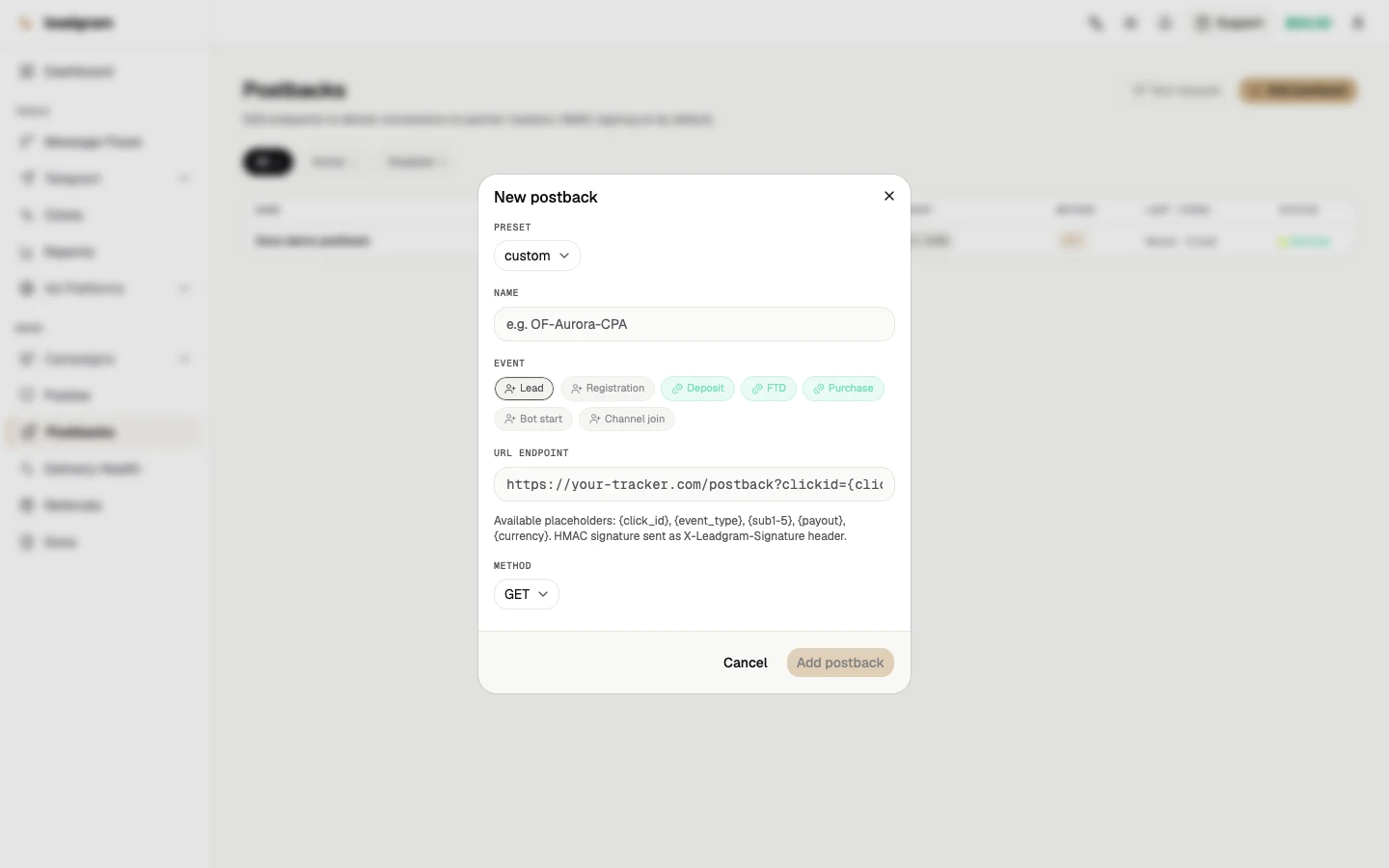
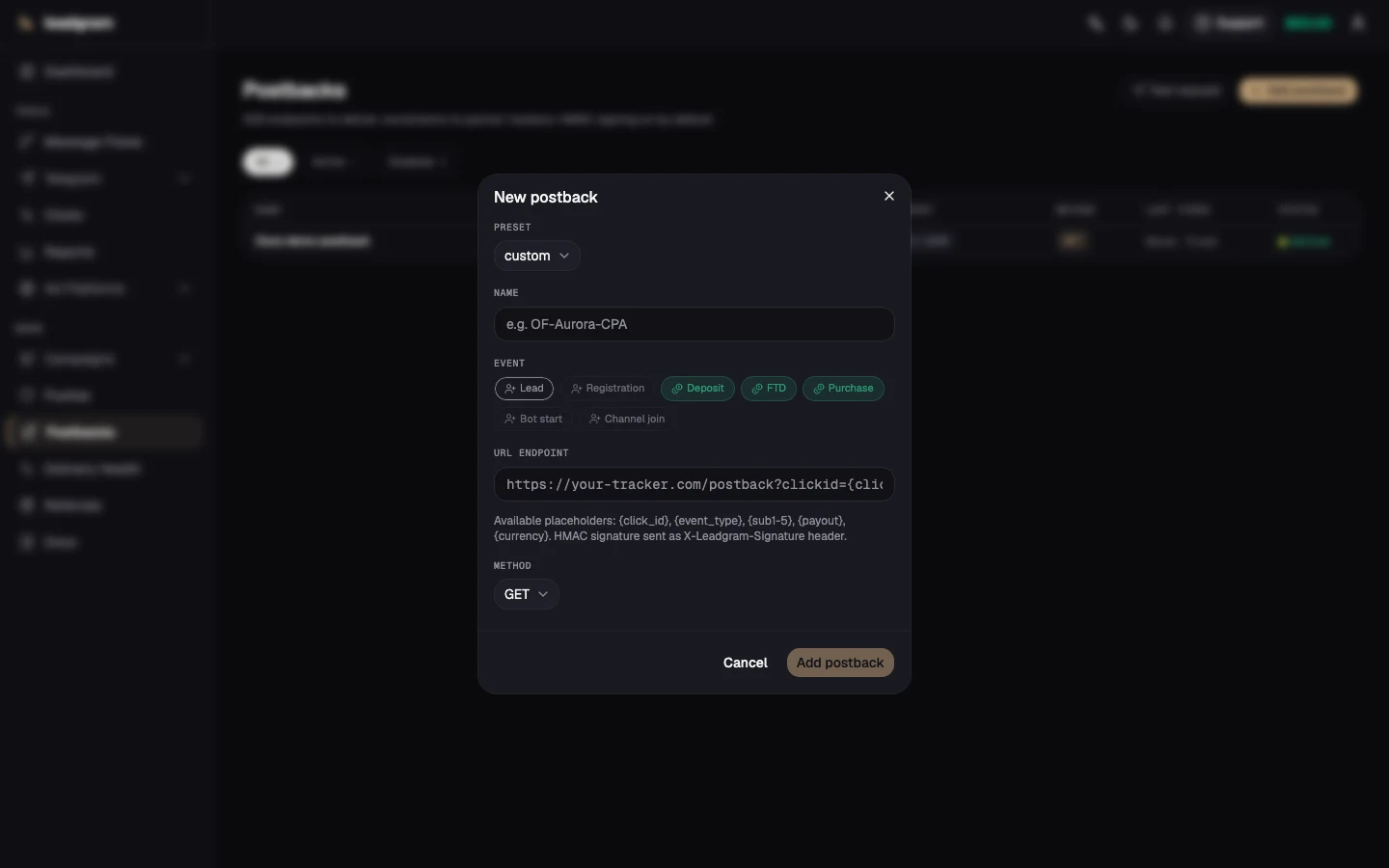
- Open Postbacks and click Add postback.
- Pick a preset: Keitaro and RedTrack prefill a URL template, Custom starts blank.
- Name the rule so you recognize it in the table later.
- Pick the trigger event: Lead, Registration, Deposit, FTD, Purchase, Bot start or Channel join.
- Paste the endpoint URL with macros (see below).
- Choose
GETorPOST. WithPOST, URL macros still work and the same fields are additionally sent as a JSON body. - Pick the Deduplication mode - how many fires of this rule one Telegram user can receive. It starts on Off — fire every event; what the other three do is covered below, under delivery.
- Pick the Scope - which campaigns' conversions this rule fires on. It starts on All campaigns: the rule fires on a conversion from any campaign in the organization, and that is a finished setup, not a half-configured rule. Name a single campaign when this endpoint should only receive that campaign's conversions - two offers in one organization, say, where each advertiser should see its own conversions and not the other's.
- Click Add postback to save. The rule is enabled immediately and appears in the table with its event, method, dedupe mode, scope, last-fired time and status.
A saved rule stays editable from its row: Edit opens a dialog with the name, the URL and the scope, and the row menu carries Disable or Enable plus Delete (deletion asks for confirmation and has no undo). The trigger event, the method and the preset are immutable once saved: a different event means a separate rule. The scope is not - a rule left on all campaigns by mistake is narrowed down in that same dialog, and widened back the same way; nothing has to be recreated. The dedupe mode is changed without a dialog, straight from the Dedupe column.
The dashboard is not the only way to create a rule. By API key the same three actions sit behind the postbacks (create), postbacks:update and postbacks:delete permissions, and in MCP they answer to the leadgram_create_postback, leadgram_update_postback and leadgram_delete_postback tools - details in the API reference. All three permissions live at the delete tier and are granted by a separate action: a rule fires on every future conversion, at whatever address you wrote into it. One caveat about the create tool: it only ever creates a rule with the GET method, and the method cannot be changed anywhere after saving - a POST rule is created from the dashboard.
URL macros
These placeholders are substituted on every fire:
{click_id}- the Leadgram click id. Right when the receiving side is an advertiser who got that id from you; wrong for an upstream tracker, which has never seen it (see the Keitaro section below){event_type}- the event name (deposit,ftd, and so on){sub1}-{sub5}- the sub-chain captured on the click. This is where an upstream tracker's own click id arrives, so this is what a tracker postback matches on{campaign_id}- the campaign the click belongs to, empty when the click arrived outside one{offer_id}- the offer attached to the click, empty when the click never touched one{platform}- the campaign's ad platform (meta,google,tiktok){fbclid},{gclid},{gbraid},{wbraid},{ttclid}- platform-native click ids
Missing values resolve to an empty string, so &fbclid={fbclid} won't break on Google traffic. A token this list doesn't name is left in the URL as literal text: a postback substitutes exactly what is listed above and nothing else.
Wiring an external tracker: Keitaro
The rule most integrations break on: the external tracker has to be the first hop, ahead of the Leadgram tracking link. A postback is matched inside the tracker by THAT tracker's click id, and Leadgram can only hand that id back if the tracker handed it over on the way in. If Keitaro sits after Leadgram, or isn't in the chain at all, there is nothing to hand back and the postback fires with an empty or foreign identifier.
The wiring has two halves, and both are mandatory:
- On the way in. Your Keitaro campaign redirects to your Leadgram tracking link and puts its own click id into a sub parameter:
?sub1={subid}.{subid}here is a Keitaro macro; Leadgram takes its value as an ordinary query parameter and stores it in the click'ssub1(up to 255 characters, longer values are truncated). - On the way out. The postback rule hands the same id back:
https://your-keitaro.com/postback?subid={sub1}&status=lead.{sub1}here is a Leadgram macro and expands to exactly what arrived on the click.
That is what the Keitaro preset fills in for you. Reaching for {click_id} is the tempting mistake, and it doesn't work: that is Leadgram's own internal click id, which Keitaro has never seen and cannot match a session by. {click_id} is the right macro when the receiving side is an advertiser who got that id from you, not a tracker that stood earlier in the chain.
status is hardcoded per rule rather than left as a macro. Keitaro understands its own status vocabulary (lead, sale, rejected), while Leadgram's trigger events are named differently, so {event_type} would send something like ftd, which Keitaro can't parse. Create one rule per status, each with its own trigger event:
- Lead, Registration map to
status=lead - Bot start, Channel join map to
status=lead, if you count those steps as a lead - Deposit, FTD, Purchase map to
status=sale
Leadgram has no trigger event for a refund or a rejected conversion, so rejected is something you set inside Keitaro by your own means.
Payout is not carried by postbacks at all: there is no amount among the macros and none in the JSON body of a POST fire either. Keep the money on the Leadgram side. Send payout with the event through the events API, or set a Payout on the offer so the conversion inherits it through the offer attached to the click. From there the amount lands in the Revenue column on Reports.
Delivery, retries and re-fires
Each fire gets a 10-second timeout, and any HTTP status from 200 to 399 counts as delivered. A failed fire is retried up to 2 more times with growing back-off (3 attempts in total), and every fire is mirrored to a durable ledger you can inspect on Delivery Health:
- Pending - queued, not delivered yet
- Sent - your endpoint answered 200-399
- Failed - the last attempt errored, retries are still possible
- Dead - all attempts burned; only a manual re-fire revives it
Delivery Health opens with a health summary before you get to any table: one card per rule and per ad-platform connection, with a status badge (Healthy, Failures or Dead letters) plus sent/failed/dead/pending counts for the last 24 hours and the last 7 days. It's the fastest way to spot a rule going bad without reading individual rows.
Below that sits the Problem deliveries table (tabs CAPI | Postbacks), which lists every failed or dead delivery with the exact error, 20 rows per page. It isn't limited to a recent window. That's only true of the health summary counts above it; a delivery that failed months ago still shows up here until you re-fire it or it succeeds. Re-fire queues the delivery again with the same payload. Fix your endpoint first, then re-fire; nothing is lost.
The delivery guarantee is at-least-once, not exactly-once. In normal operation one logical conversion reaches your endpoint once: three layers hold duplicates back - job dedup at enqueue time, a marker recording that the fire already happened (it lives 24 hours), and the Sent row in the delivery ledger, which covers the case where that marker has already expired. None of the three is absolute, and we name the repeat window outright: between the HTTP request to your address and the write of the marker for it there is a gap of one operation, and a crash of the delivery process inside that gap makes the retry send the same request again. An unreachable marker store has the same effect: the delivery is not cancelled in that case and the marker is not written - losing a conversion is worse than sending it twice.
So the receiving side has to be idempotent. Deduplicate on your side by the {click_id} + {event_type} pair: it is the same value across every repeat of one conversion. Answer a repeat with 200 and credit nothing a second time. There is no separate delivery id in the request - not among the macros, not in the JSON body of a POST fire - so by its fields alone a duplicate is indistinguishable from a genuinely new repeat conversion (a second deposit from the same person, reported as a new event). Time tells them apart: a repeat of one and the same fire lands right behind the first, within minutes, while a conversion of the same type hours or days later is a new event and fires separately, as it should.
Those three layers are always on and need no configuration. On top of them there is an optional policy, the Deduplication select: in the create dialog it sits between the method and the scope, and on a saved rule it changes straight from the column of the same name, no dialog needed. The default is Off — fire every event. The other three modes - Once per user, Once per user per data source and Any event type — once per user - all come out the same on a postback: one send per Telegram user for the whole life of the rule. They only diverge on the CAPI side, where one campaign carries many connections and many event types. A rule's key is always the same one: the rule is its own data source and it fires on exactly one event type, so there is nothing inside it left to collapse.
Switching a mode on overrides the caveat above: a second deposit from the same person will not go out through this rule. The claimed slot has no expiry and no daily reset, and it is released one way only, when a fire dies for good, so a failure never eats somebody else's conversion. An event with no Telegram user behind it is skipped by dedupe: there is nothing to build a key from. A withheld send is not an error - the ledger records it as Suppressed, it is never retried, and it never reaches the problem-deliveries table.
Common pitfalls
- A rule shows Disabled and never fires. New rules are always created enabled, so a disabled rule was disabled deliberately, and the same row menu brings it back with Enable. The All / Active / Disabled filter chips are the quick way to see current state.
- The rule is scoped to the wrong campaign. It is enabled, the endpoint is fine, conversions keep coming in - and the advertiser receives nothing, because none of them fall inside the rule's scope. The failure is entirely silent. A rule the scope filtered out never creates a delivery at all, so there is no failed row, no dead row, and not even a card on Delivery Health: a card only appears for a rule that had at least one delivery in the last 7 days. Test request in the row menu stays quiet too - it dials your URL directly, bypassing the scope filter, and answers green whether or not the rule ever fires on live traffic. There is one check that works: the Scope column in the postbacks table. Compare the campaign named there with the campaign the clicks belong to, and fix it from Edit. The same mistake from the other side: conversions from clicks that arrived outside any campaign are seen only by rules left on All campaigns.
- The campaign was deleted, and the rules scoped to it went with it. That is deliberate, not a bug. A rule tied to a deleted campaign has no meaning left, and resetting its scope to All campaigns would quietly widen it over the rest of the organization's traffic - re-creating the exact mistake scope exists to prevent, at the moment nobody is looking. If an advertiser's endpoint has to outlive the campaign, keep its rule on All campaigns, or create it again against the new campaign.
- The external tracker sits after Leadgram. Its click id then never reaches the click,
{sub1}goes out empty, and the tracker can't match the conversion. Hop order is fixed on the tracker's side; no rule setting can work around it. - Macro names are exact:
{clickid}(missing the underscore) is not substituted and arrives at your tracker literally. - Public
http(s)URLs only: localhost and private-network addresses are rejected for security. That check runs when you edit a URL and when the rule fires, but not when you first create it, so a bad URL can get saved and only fail once it actually tries to fire. - Your endpoint answering 4xx/5xx turns fires Failed and then Dead. That's on the receiving side: fix it, then re-fire from Delivery Health.
- The cap is 50 postback rules per organization.