Pushes: re-engage your bot audience
A bot subscriber base is the closest thing traffic arbitrage has to an owned asset: you paid for those users once, and you can message them again for free. Pushes are that lever - send a new offer to a bot's whole audience on a schedule, or follow up automatically with the exact user who just registered but hasn't deposited. Every push is another shot at revenue from traffic you already bought.
Two kinds of pushes
- Scheduled - a broadcast to the bot's audience at a date and time you pick.
- Event-Based - an armed message that fires when a user triggers a funnel event (e.g. registration, deposit). It goes to that specific user, not the whole base.
Create a push
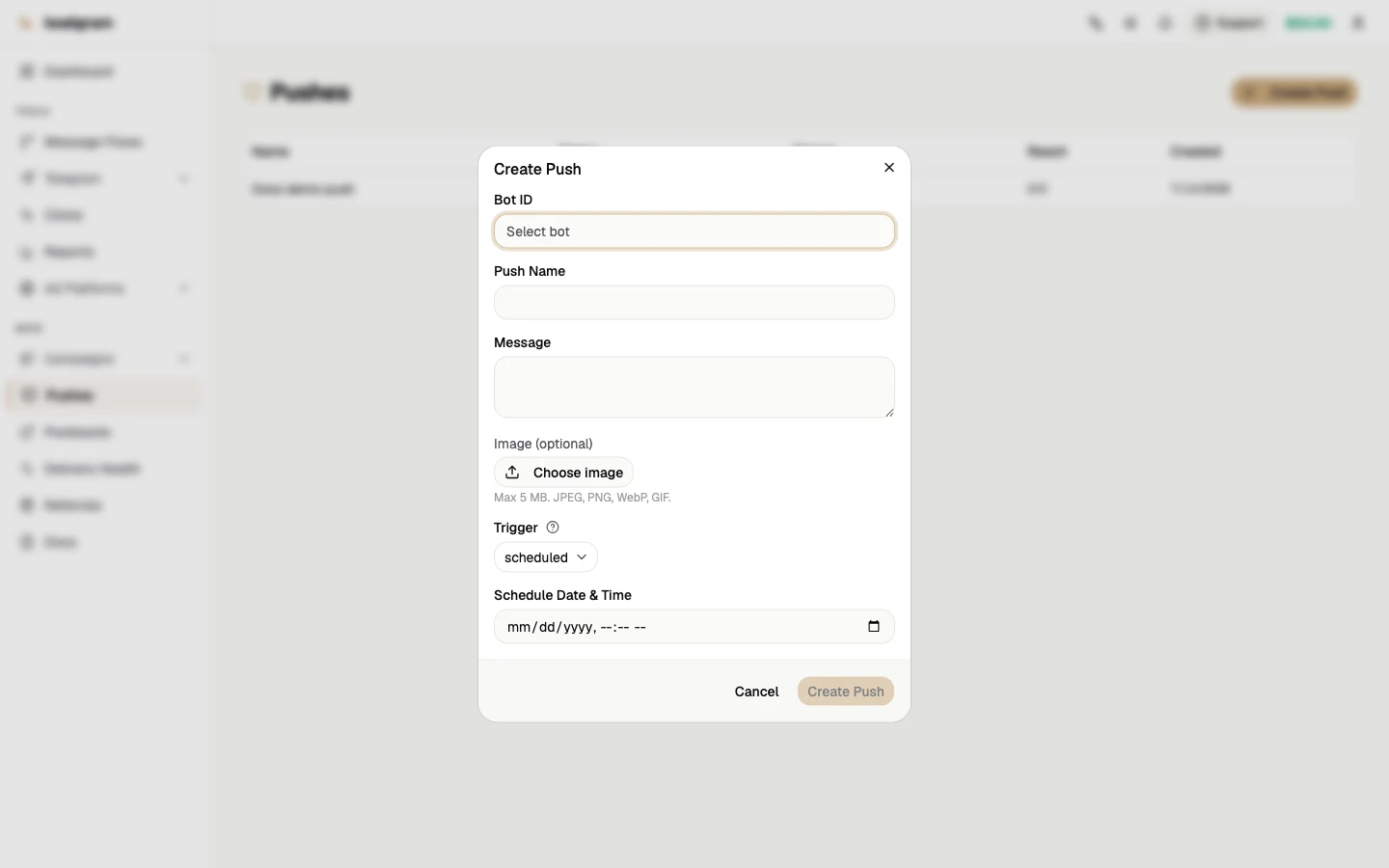
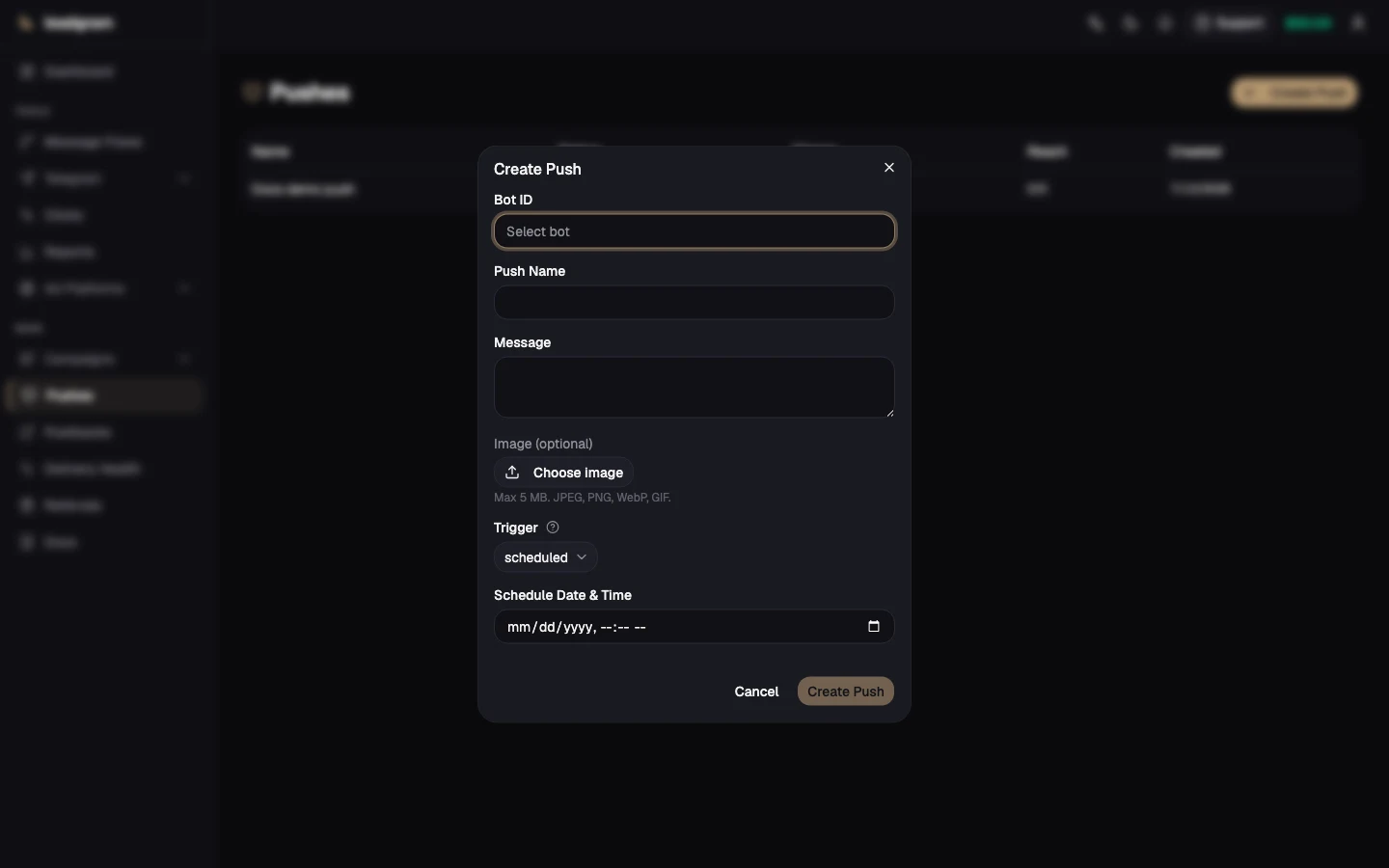
- Open Pushes and click Create Push.
- Enter the target bot's ID into Bot ID - this is the bot's internal ID, not its @username. The audience comes from that one bot's subscribers, nobody else's.
- Set the push name (internal only, subscribers never see it) and the message text, up to 4096 characters. The text sends with Telegram HTML formatting on, so
<b>,<i>and<a href="">work - keep your tags balanced, because a stray unescaped<or&makes the whole send fail. - Optionally attach one image under Image (optional). When an image is attached, your message text is sent as the photo's caption rather than a plain message.
- Pick the trigger: Scheduled or Event-Based. A Scheduled push needs a date and time before you can submit it.
- Click Create Push.
A scheduled push whose time is already in the past goes out immediately, so double-check the picker if you meant "now" and it defaulted a few minutes back.
Where the audience comes from
A subscriber lands in the base at exactly one moment - when a person sends the bot /start themselves. No active Message Flow is required: the subscriber is recorded above the flow check, so a bot running no flow at all still builds an audience.
Today a /start is the only thing that creates a new row, and that is the central limit on pushes: Telegram does not let bots message first to someone who never replied to them, and tapping an inline button does NOT count as a reply. So the audience never includes people who joined a channel by invite link, people who opened a Mini App (launching one sends no /start), or people who only tapped a button under a message. Until someone sends /start, you cannot push to them.
"Today" is doing real work in that sentence. When the subscriber base was first introduced it was seeded once from flow history: every chat that had ever run one of the bot's flows went in - and a flow starts on any message or button tap, not only on /start. Those rows are in the base with no permission behind them, and they are exactly where the "never started a conversation" outcome below comes from.
Once tracked, the audience for a push is that bot's active subscribers: the ones Telegram still accepts messages for from this bot.
Statuses and delivery stats
Every push you create goes live right away, into Scheduled - armed and waiting, whether that means counting down to its send time (Scheduled) or sitting ready for the next matching event (Event-Based). A Scheduled broadcast then moves to Sending while it goes out, and lands on Sent or Failed. An Event-Based push stays on Scheduled for good - that's not stuck, it's the normal armed state, ready to fire again the next time someone triggers the event.
The Reach column shows delivered/total for the run.
- A chat Telegram refuses is detected during the send, switched off automatically, and skipped in future broadcasts. Telegram refuses in more than one way, and the platform records which one it was - see the next section.
- One dead chat never fails the whole broadcast - failures are counted per recipient. A push is marked Failed only when it had an audience and reached nobody; an empty audience is an honest Sent with Reach 0/0.
Why a chat stops receiving pushes
Telegram refuses a bot in four different ways. Filing all four under churn is a mistake: two of the four are churn, a third is a defect in your funnel that you really can fix, and the fourth is one the platform cannot bring back into the audience at all.
- The person blocked the bot. We had permission and lost it. Only they can undo that: unblock the bot and send
/startagain. This one is honest churn. - The conversation never happened. We never had permission for a second - the chat got into the base without a
/start. That is not churn, it is a funnel defect: get the person to/startwith a button in the channel, a link in the creative, the first step of a flow. - The account is deleted. The person deleted Telegram. The one case where "dead chat" is the truth: there is nothing to do.
- The bot was kicked from a group or channel. This is not about a person at all, it is about the bot's membership, and the platform has no repair action for it. An admin can add the bot back and the membership returns, but the subscriber row stays switched off: the only thing that switches it back on is a
/startarriving from that same chat. The platform will accept such a/startfrom a group - it never looks at the chat type - but it will not ask anyone to send one: there is no button and no prompt for that in the product.
There is a fifth outcome - a refusal whose wording we don't recognize. Telegram rewrites its error texts, so an unrecognized refusal is read conservatively: the chat is switched off, exactly as before.
How event-based pushes behave
An event-based push arms the moment you create it and stays armed: many users can each trigger it over time, and each one gets it at most once per triggering event, as long as they're still an active subscriber when it fires. Use it for money moments - "you registered, here's the deposit bonus" lands while intent is hot.
One thing the create form can't do yet: it only switches a push to Event-Based, with no field for choosing which event arms it. A push made in the dashboard isn't tied to a specific event and won't fire on its own, so to run an event-based push against a real event (registration, deposit, and so on) ask support to arm it for you after you create it.
Common pitfalls
- There's no edit or pause action after creation, only create, list and delete. To change the time, text or trigger, delete the push and make a new one; deleting a live Event-Based push is also how you stop it from firing.
- The Bot ID field takes the bot's internal ID, not its @username, and Bots doesn't display that ID - keep track of it from when you connected the bot, or ask support.
- A Scheduled push needs its date and time set before you can submit - there's no "save now, schedule later" flow.
- Pushes reach only people who sent the bot
/startthemselves. No active flow is needed for that - if reach is small, look for the place where someone was supposed to message the bot and didn't, not for a broken flow. - Telegram caps plain message text at 4096 characters. Attach an image and the text rides along as the photo's caption, which Telegram caps at 1024 - and it rejects an over-long caption outright rather than trimming it, so the broadcast would reach nobody. Both limits are now enforced: the form switches to the 1024 cap the moment an image is attached and shows the character count, and the API refuses the same combination, so a push created outside the dashboard can't sneak past either.
- Reach below your subscriber count is not necessarily churn. Churn is "blocked the bot" and "account deleted". "Never started a conversation" is a funnel defect, and it is fixable. "Bot kicked from the chat" is neither: the row stays switched off even after an admin adds the bot back. Work the gap by refusal reason instead of writing it off whole.
- Need a mass announcement? That's Scheduled. Event-Based messages go only to the user who triggered the event.