Meta CAPI: server-side conversions that survive iOS
A browser pixel never sees the most valuable part of a Telegram funnel: the bot start, the channel join, the deposit all happen where no pixel can run. Add iOS privacy limits and cookie loss on the landing page, and Meta ends up optimizing on a fraction of your real conversions - worse audiences and a higher CPA for the same budget. Server-side CAPI closes that gap: Leadgram sends every conversion straight from its backend to Meta, with the click ID attached for strong matching.
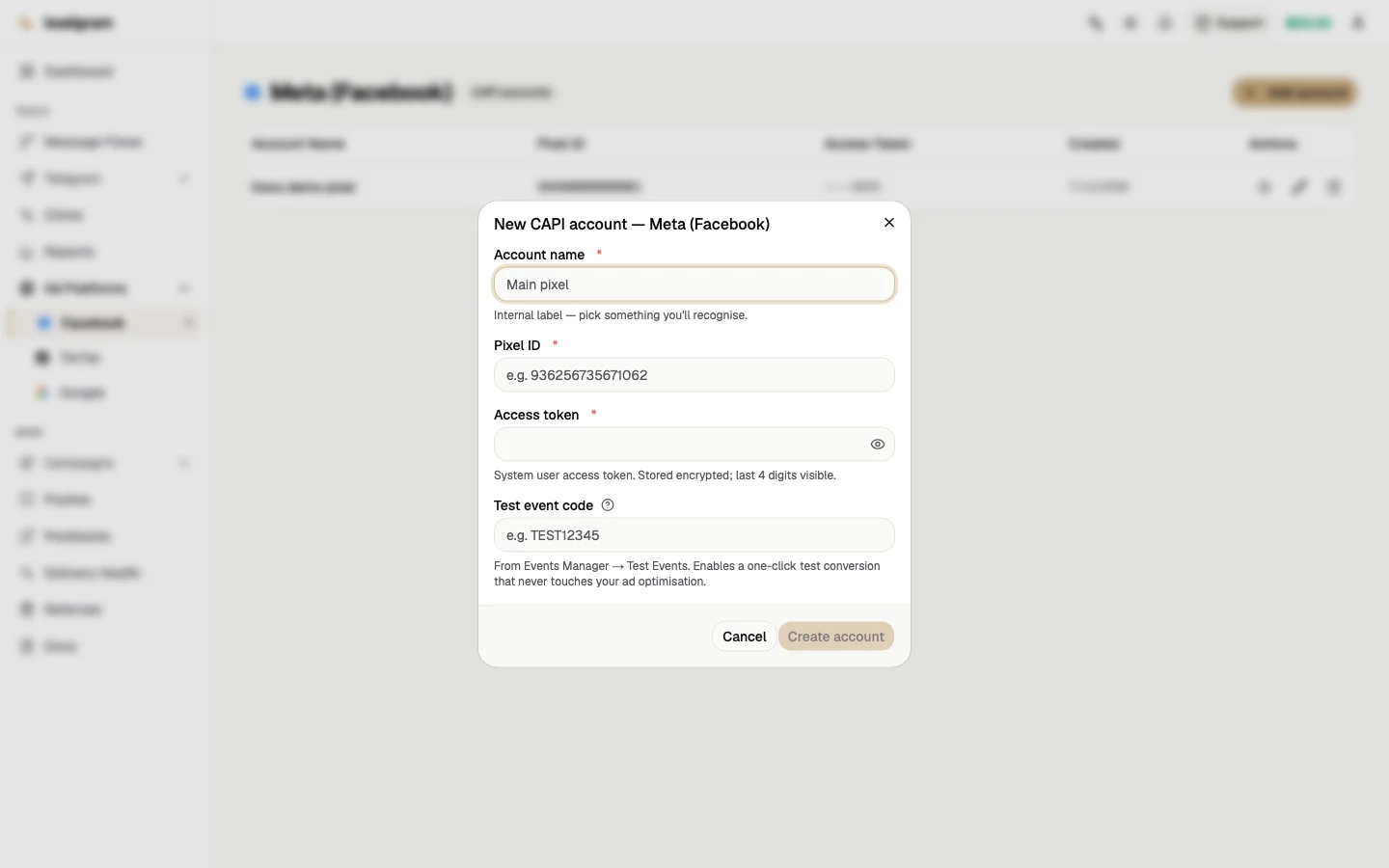
Create a CAPI account on the Facebook page
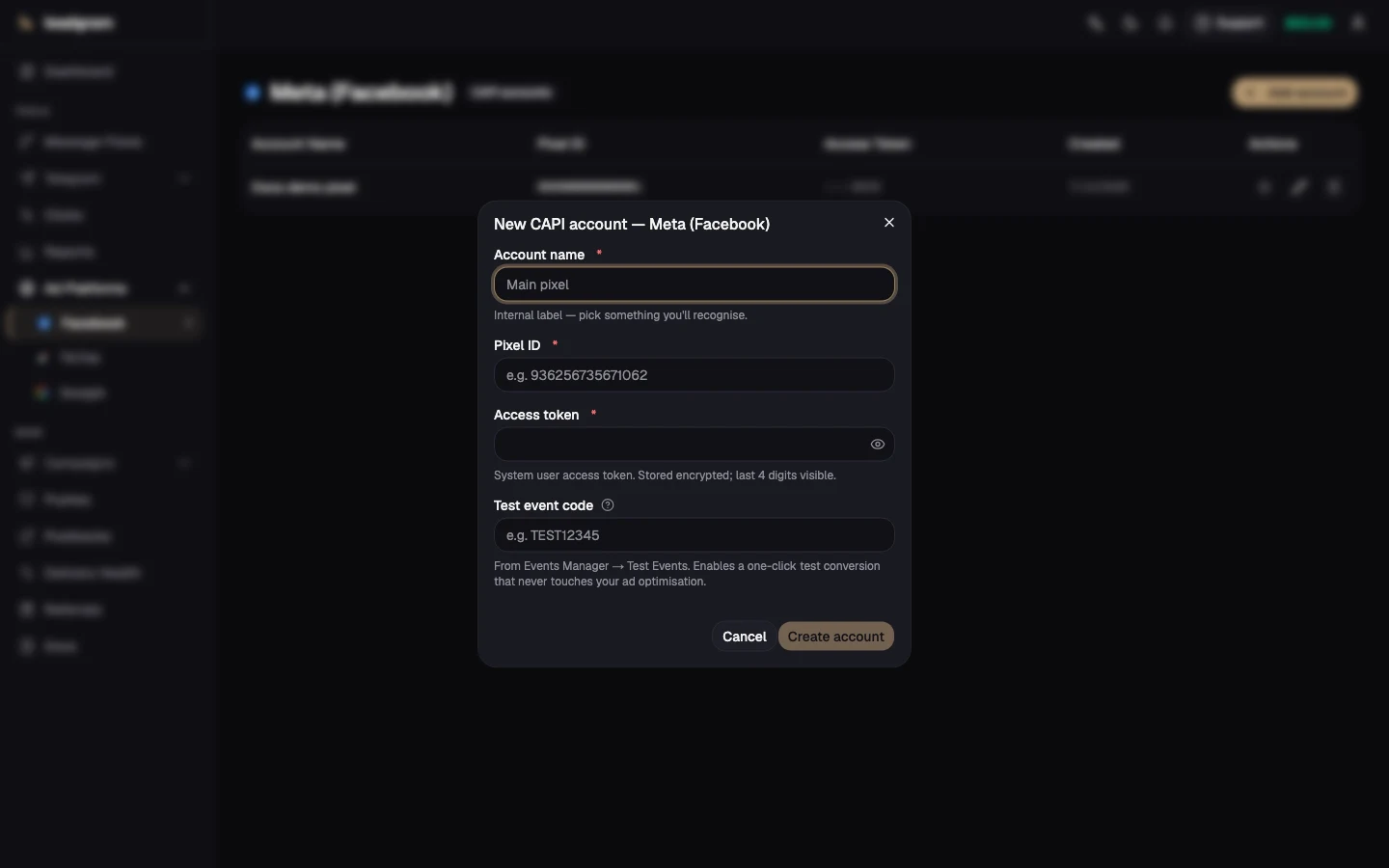
- Open Facebook under Ad Platforms and click Add account.
- Account name - an internal label you'll recognize.
- Pixel ID - the numeric ID of your Meta pixel from Events Manager.
- Access token - generate it in Events Manager → your pixel → Settings → Conversions API (a system user token). It's stored encrypted; the UI only ever shows the last 4 characters.
- Test event code (optional but recommended) - from Events Manager → Test Events. It unlocks a one-click safe test conversion.
Match the campaign to the account
On Campaigns, put the same Pixel ID into the campaign's Meta pixel field. The match must be exact - Leadgram joins the campaign's pixel ID to your CAPI accounts at dispatch time. The form checks it live while you type: you'll see either the message 'Matched to CAPI account "…" - CAPI events will fire' or a warning that events will stay browser-only. The banner after saving repeats the verdict, so a typo doesn't fail silently.
What Leadgram sends to Meta
- Event name - mapped from the internal type:
registration→ CompleteRegistration,deposit/ftd/purchase→ Purchase,bot_start/lead→ Lead,channel_join→ Subscribe,join_request→ SubmitApplication,first_dm→ Contact,land→ PageView,click/miniapp_launch→ ViewContent. The request and the join carry different names on purpose: if you approve requests by hand, one person fires SubmitApplication first and Subscribe after approval, so Ads Manager shows two funnel steps instead of one doubled step. If the request itself is what you buy traffic for, optimize on SubmitApplication directly. Anything missing from that list never reaches Meta at all:subscription_renewed,subscription_cancelledandcustom_*. Such an event creates no delivery and raises no error - it lands in the "Event not mapped" counter on Meta's card (see below). - fbc click ID - the
fbclidcaptured on your tracking link is rebuilt into Meta'sfbcparameter, its strongest match signal after hashed PII. - event_id - a deterministic ID per conversion, so retries never create duplicate purchases in Ads Manager.
- event_time - the real moment the event happened, taken from when Leadgram recorded it. Meta only accepts events timestamped within the last 7 days, so a delivery older than that gets its timestamp clamped to the oldest stamp Meta still takes (7 days ago, plus an hour of margin), rather than erroring out the whole batch. It clamps to that lower bound, not to "now": of the allowed values, that's the one closest to when the event really happened.
Prove it works before spending
- On the account row, click Send test event.
- Paste or confirm the Test Events code.
- Open Events Manager → Test Events - a Purchase appears within seconds.
The test is synthetic: it never touches ad optimization, attribution or your billing. If Meta rejects it, the dialog shows Meta's exact (token-redacted) reason - usually a bad pixel ID, access token or test event code.
Watch deliveries
Delivery Health shows sent, failed and dead CAPI deliveries over 24h/7d windows, with a one-click re-fire for anything stuck. Check it whenever Ads Manager numbers look thin.
The last-error card is per platform, not per pixel. Two Meta pixels each get their own CAPI account, but Delivery Health shows both under one combined Meta card - a bad token on one account can hide behind a healthy result from the other. Use each account's own Send test event button to check a specific pixel.
A failed delivery isn't dead on the first miss. Leadgram retries it with exponential backoff - up to 5 attempts (5s, 10s, 20s, 40s) - before marking it dead and leaving it on the page for you to re-fire by hand.
The Skipped (not sent) block belongs to every CAPI platform card, Meta included: it appears as soon as the window holds at least one skip, and breaks skips down by reason for today and 7 days. On Meta exactly one row is live - Event not mapped: that many conversions never left, because their type isn't in the mapping above. The neighbouring "No click ID" and "Click expired" rows stay at zero on Meta's card: the click-ID reason is reported by the Google and TikTok adapters (each naming its own identifier on its own card - gclid and ttclid), and "Click expired" by Google alone. Meta sends an event even without an fbclid, so it has no skip branch of that kind at all. A skip writes no delivery row, so it isn't in the problem-deliveries table and there is nothing there to re-fire: this is a counter, not a queue.
There is exactly one way to send Meta a type the mapping doesn't cover: name the event by hand - a named event skips the gate and reaches Meta under that name. That door exists for custom_*: only you know what your custom_3 means, so those eight slots have no default name and never will. The surgical version is the flow editor's Event node, field "Event name override" in the "Facebook CAPI" section: it only applies to conversions that node creates, and all eight custom_* slots are in its type list. The blunt version is the event name on the campaign's Facebook integration: it lifts the gate off EVERY event of that campaign at once, click and land included, and they all reach Meta under one and the same name - the whole campaign funnel collapses into a single row in Ads Manager. Both subscription events are absent from the node's type list, so only that second, blunt route reaches them. A name set either way overrides the mapping above - including for types that do have a mapping. The events API can't carry a name at all - the platform strips that field from the payload.
Common pitfalls
- Pixel ID on the campaign differs from the CAPI account by one digit - events silently stay browser-only. The live indicator and the save banner are your guardrails; read them.
- Expired or mis-scoped access token - deliveries fail with an OAuth error in Delivery Health. Regenerate the token in Events Manager, then click Edit on the account: leave the token field blank to keep the current one, or paste the new value to rotate it.
- No
fbclidon clicks - make the campaign tracking URL the ad's direct destination; Meta appendsfbclidautomatically. If you chain trackers, pass the parameter through. - Test button refuses to fire - you haven't provided a Test Events code. That's deliberate: an uncoded event would count as a real conversion.
- A backlog older than 7 days doesn't get rejected outright - Leadgram clamps the timestamp instead of erroring - but a clamped conversion still carries less attribution value than a fresh one, so don't treat it as a reason to let deliveries pile up.